Map & Fast Travel Guide
A landmark system for the compact world, beacons and safe return routes.
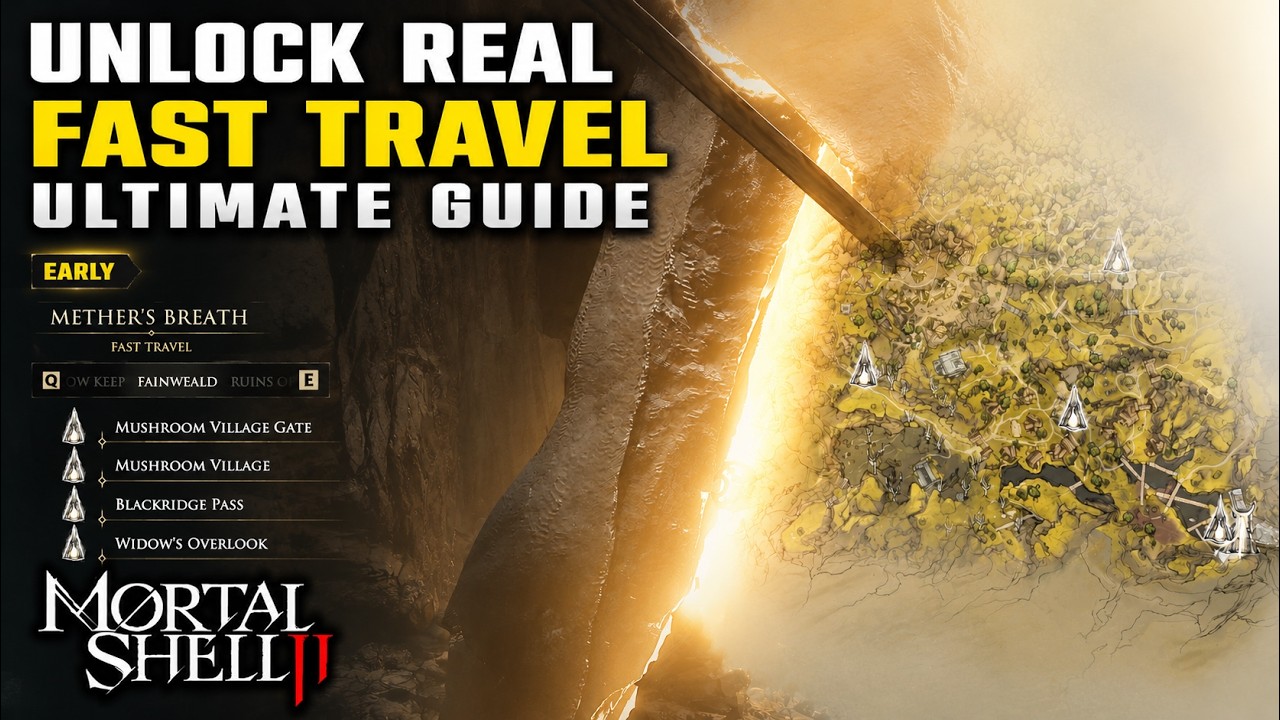
Read the world as a loop
The official page calls the world compact and tightly interconnected. Expect branches to reconnect instead of treating every fork as a separate level.
At a landmark, face back toward the route used. The return view is more useful than a camera-relative direction.
Beacon anchors
Beacon cleansing is confirmed in the beta. Use each beacon as an anchor while verifying its exact launch function in-game.
Name branches by stable features such as a broken gate or stone bridge, never only left and right.
Fast-travel boundary
Preview guidance discusses travel systems, but unlock conditions can change. Do not promise an early teleport before the current interface shows it.
Plan a first trip as if you must walk back. This keeps healing and boss commitments honest.
Four-column note
For each detour record anchor, objective, danger and return condition. Stop mapping when the note becomes longer than the route.
When a patch changes geometry, update the affected route rather than rebuilding the whole atlas.
- Anchor
- Objective
- Danger
- Return trigger
Landmark-based route card
Write one route card per branch: starting anchor, unmistakable landmark, objective, main danger and return trigger. At the destination, turn the camera toward the way back and capture that view mentally before exploring another fork.
This method survives interconnected loops better than left-right instructions. It also stays useful if a patch changes a beacon reward without changing the physical route.
Travel verification checklist
Before describing fast travel, verify the current menu entry, unlock message, eligible destinations and any resource condition in the launch build. If one element is missing, describe only the confirmed walking route and beacon anchor.
Never turn preview convenience into a promised unlock. Readers can still navigate safely with landmarks while the travel condition awaits independent proof.
September 5 update — beacon menu clarity
Smaller Beacons now use their own icons in the Mether's Breath fast-travel menu. Use the current icon and destination label together when recording a route, because an older screenshot may not distinguish these smaller anchors correctly.
The update improves menu identification but does not publish a new unlock trigger or travel cost. Keep those conditions tied to what the current interface actually displays.
September 15 hotfix — dungeon traversal
The hotfix fixes dungeons not loading correctly after Egon's Stone and a trap that could keep players inside a dungeon after claiming Lazlo. Retest those routes before following a pre-hotfix recovery workaround.
It also corrects a Citadel Annex traversal-camera issue, Ashen Cathedral death-volume problems, and several collision and geometry defects. The notes do not announce a new fast-travel unlock or route cost.
September 25 hotfix — dungeon and lift recovery
The September 25 hotfix confirms another fix for dungeons failing to load after Egon's Stone. Update before retrying a stuck route and do not treat a pre-hotfix reload workaround as the intended travel flow.
Several collision fixes also target players falling through elevator lifts when walking into walls. The notes do not change beacon unlocks, destinations or travel costs, so those rules remain tied to the current menu.
Route correction rule
When a landmark note fails, correct the smallest ambiguous instruction by adding the return-facing view and the next stable object. Do not replace it with camera-relative left or right. Confirm every travel unlock against the current menu before changing a walking route into a teleport instruction.
Sources & visual context
Version note: open-beta behavior is never treated as permanent launch fact. Interface labels, balance, triggers and performance can change after the August 2026 release.
Map & Fast Travel Guide FAQ
Is it open world?
The official page describes a compact, tightly interconnected open world. That suggests routes may reconnect, but it does not guarantee a particular map overlay or shortcut. Navigate by stable objects and record the view toward home whenever a new branch begins.
What is off the main path?
Beacon cleansing is confirmed in beta material, so a beacon is a useful route anchor. Its exact launch function should still be read in the current interface rather than assumed. Name nearby branches by structures, gates, or bridges instead of camera-relative left and right.
What do beacons do?
No early teleport should be promised until the current game displays its unlock condition. Plan the first trip as if walking back is required, preserving enough healing for that return. Once travel is visibly available, update the route without rewriting unrelated landmark instructions.
When does fast travel unlock?
Record four fields for a detour: anchor, objective, danger, and return condition. This compact note tells another player where the route begins and when to abandon it. If the instruction depends on camera orientation, replace it with an unmistakable environmental object.
How do I avoid getting lost?
Navigation notes can change when patches move triggers, open shortcuts, or alter beacon behavior. Correct the smallest affected segment and keep the previous anchor intact. Confirm the revised direction from both the outgoing and return-facing views before treating it as reproducible.